Posted on — Leave a comment

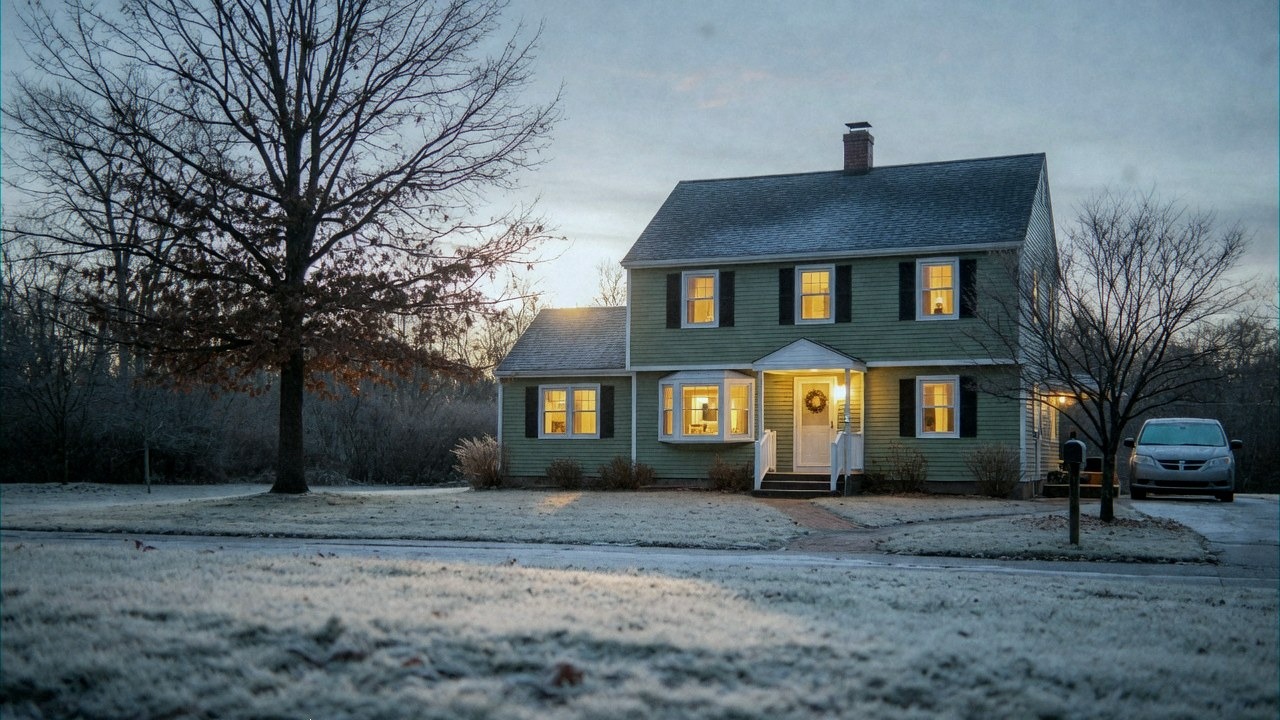
Prepare Your House Before Winter

Prepare Your House Before Winter

Every October the same conversation happens in millions of homes. The heating comes on, the first bill arrives in November, and everybody is surprised. Nothing broke. Nothing was renovated. The house simply did what it always does, and this year the numbers are less forgiving.

The useful way to think about winter preparation is not as a list of chores. It is as a heat balance. A building loses energy through a small number of paths, and every path has a price per watt. Once you know where the watts go, the shopping list writes itself.

Where the heat actually goes

A typical detached house of 120 square metres, reasonably maintained but never deeply upgraded, loses roughly 6 to 7 kW on a cold day. Spread over a season that becomes tens of thousands of kilowatt hours of heat, and at current prices that is the single largest controllable cost in the household budget.

The split is surprisingly stable across countries and construction styles.
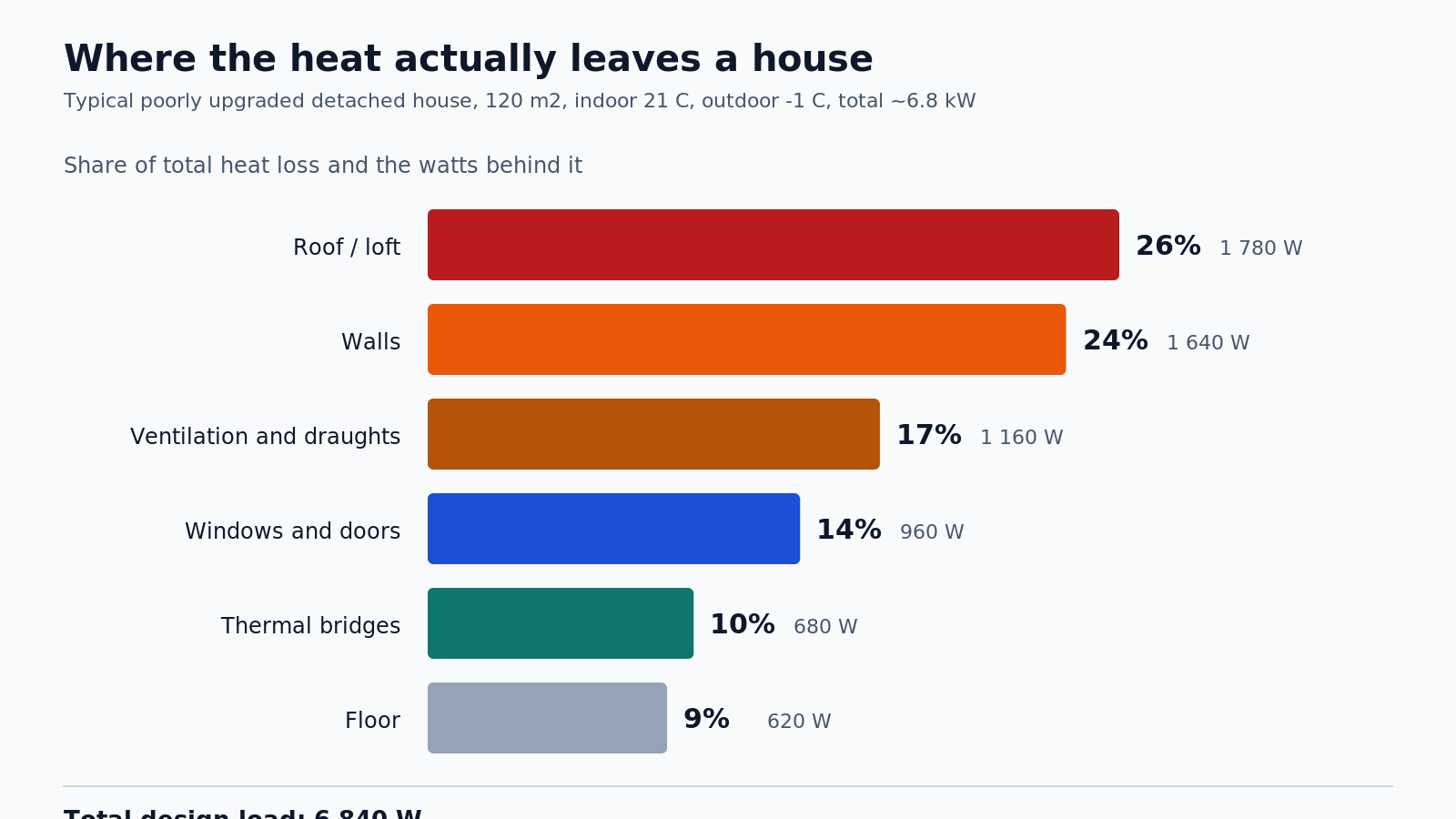
Heat loss split by building element

Figure 1: Heat loss share for a typical house before a deep retrofit. Roof and walls dominate in absolute terms, but windows and thermal bridges lose far more per square metre.

Roughly a quarter leaves through the roof, another quarter through the walls. Ventilation and uncontrolled draughts account for something close to a fifth. Windows and doors, despite being a small fraction of the envelope area, take another 14 percent. Thermal bridges, the junctions where geometry defeats insulation, take about a tenth and almost never appear in a homeowner's mental model of the house.

Two conclusions follow immediately. First, the roof is usually the cheapest large area to fix, because access is easy and the work is simple. Second, the parts you cannot see are the parts worth measuring. That is where a thermal imaging camera earns its place in the toolkit.

The equation behind every bill

Heat transfer through a building element is not mysterious. It follows one line of arithmetic.

Q = U x A x Delta T

Q is the heat flow in watts. U is the thermal transmittance of the assembly in watts per square metre per kelvin. A is the area. Delta T is the temperature difference between inside and outside. That is the whole model, and it explains almost every surprise in a winter bill.
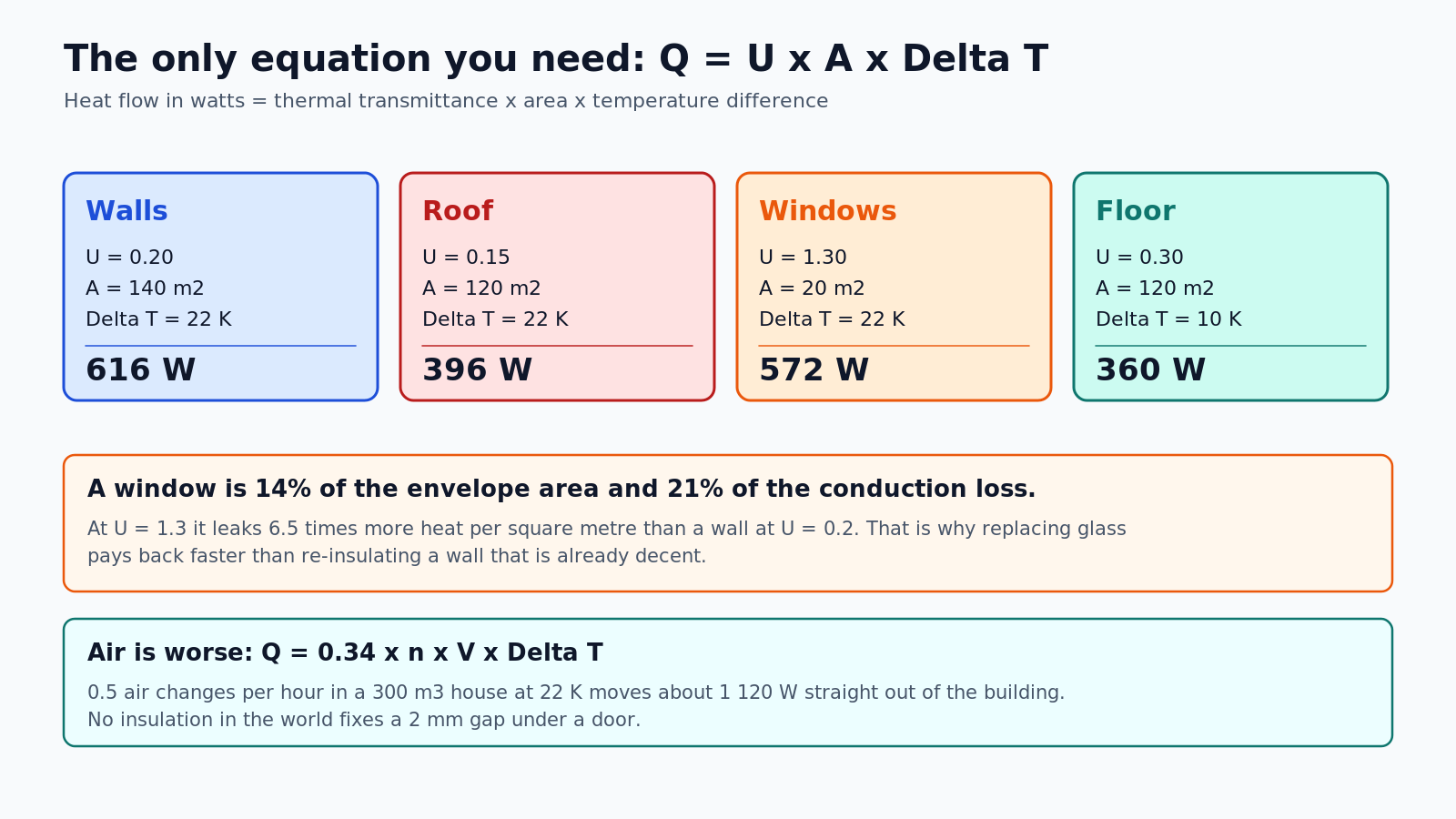
Heat balance of the main building elements

Figure 2: The same equation applied to each element of a reasonably upgraded house. Windows punch far above their area.

A wall with U = 0.20 and 140 square metres of area loses 616 W at a 22 K difference. A roof at U = 0.15 loses 396 W. Twenty square metres of windows at U = 1.30 lose 572 W, which is more than the entire wall. Per square metre, the window is leaking 6.5 times faster than the wall next to it.

That single ratio explains why window replacement often pays back faster than adding another 50 millimetres of insulation to a wall that is already decent. It also explains why a cheap window with an excellent U-value can still feel cold: the number describes the centre of the glass, not the frame and not the installation.

Air is worse than any solid material. The infiltration term is:

Q = 0.34 x n x V x Delta T

where n is air changes per hour and V is the internal volume. Half an air change per hour in a 300 cubic metre house at 22 K moves about 1 120 W straight outside. No amount of mineral wool fixes a two millimetre gap under a door. Sealing is almost always the first move, and it is almost always the cheapest.

Thermal bridges, the invisible leaks

A thermal bridge is a place where heat finds a shortcut. It happens whenever a material with high conductivity, or a geometry with more exterior surface than interior surface, penetrates the insulation layer. Concrete balcony slabs, steel lintels, window reveals, wall corners, the junction between wall and floor.

In a real house it is visible before any instrument is unpacked. This is what a window reveal looks like through a thermal camera on a cold morning.
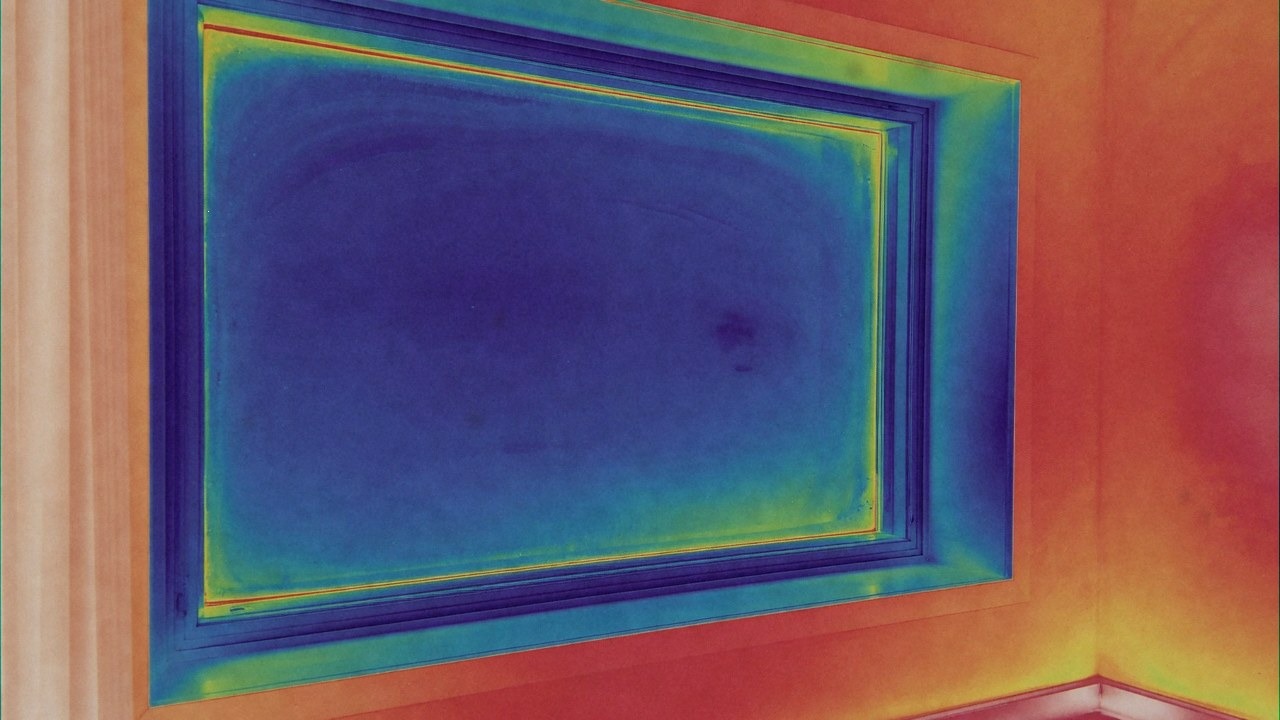
Thermal camera image of a window with cold frame edges

Figure 3: A thermal camera sees the frame and the reveal, not the glass. The blue bands are the cold path around the opening.

The physics is visible in a section drawing too.
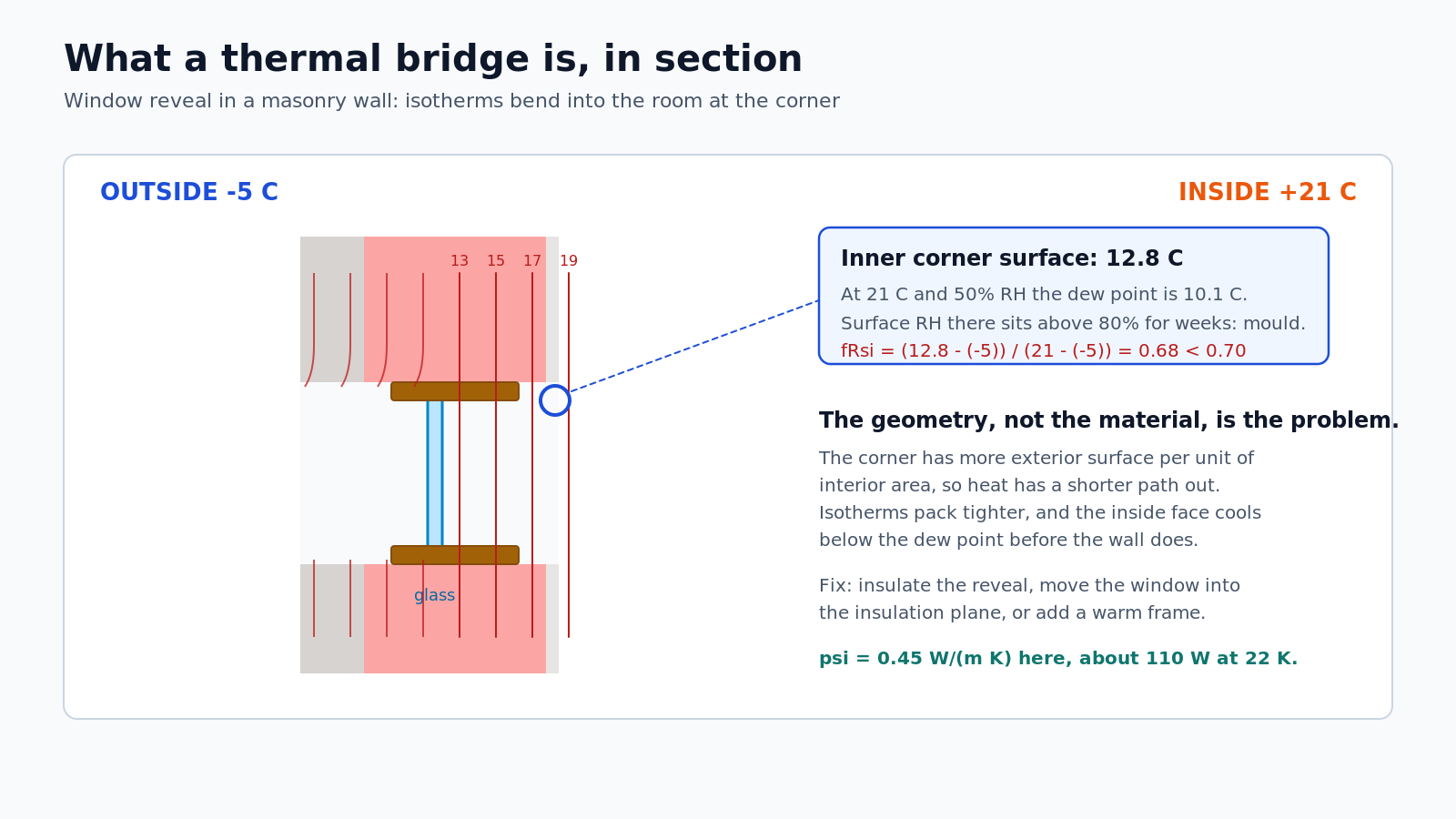
Thermal bridge at a window reveal

Figure 4: Isotherms bend into the room at the window reveal. The inner corner drops below the dew point long before the wall does.

Look at the corner where the wall meets the window reveal. The exterior surface there is larger than the interior surface, so the heat path is shorter and the temperature gradient is steeper. The isotherms, the lines of equal temperature, bend inward. The inner face of the corner ends up at around 12.8 C while the room air sits at 21 C.

At 21 C and 50 percent relative humidity, the dew point is about 10.1 C. The corner stays above that, but only just, and its surface humidity sits above 80 percent for weeks. That is the conditions mould needs. The standard measure of this risk is the temperature factor fRsi, defined as the surface temperature minus outdoor temperature, divided by indoor minus outdoor. Below 0.70, mould is considered likely. This corner measures 0.68.

This is why thermal bridges matter out of proportion to the watts they carry. A linear thermal transmittance of 0.45 W per metre per kelvin across eleven metres of junction is roughly 110 W at a 22 K difference, about 1.5 percent of the total load. Real money, but not catastrophic. The mould, the stained plaster and the cold corner that makes a room unusable are the real cost.

Fixing it is rarely exotic. Insulate the reveal, move the window frame into the insulation plane, use a warm frame with a thermal break, or add external insulation that wraps the junction continuously. In older masonry houses, even a 30 millimetre insulation return around the reveal makes a measurable difference.

Reading a thermal camera properly

A thermal imaging camera does not see heat. It sees infrared radiation in the 8 to 14 micrometre band and converts it to a surface temperature map using an assumed emissivity. That distinction matters, because most bad thermal surveys are bad for one of three reasons: wrong emissivity, wrong timing, or reflections.
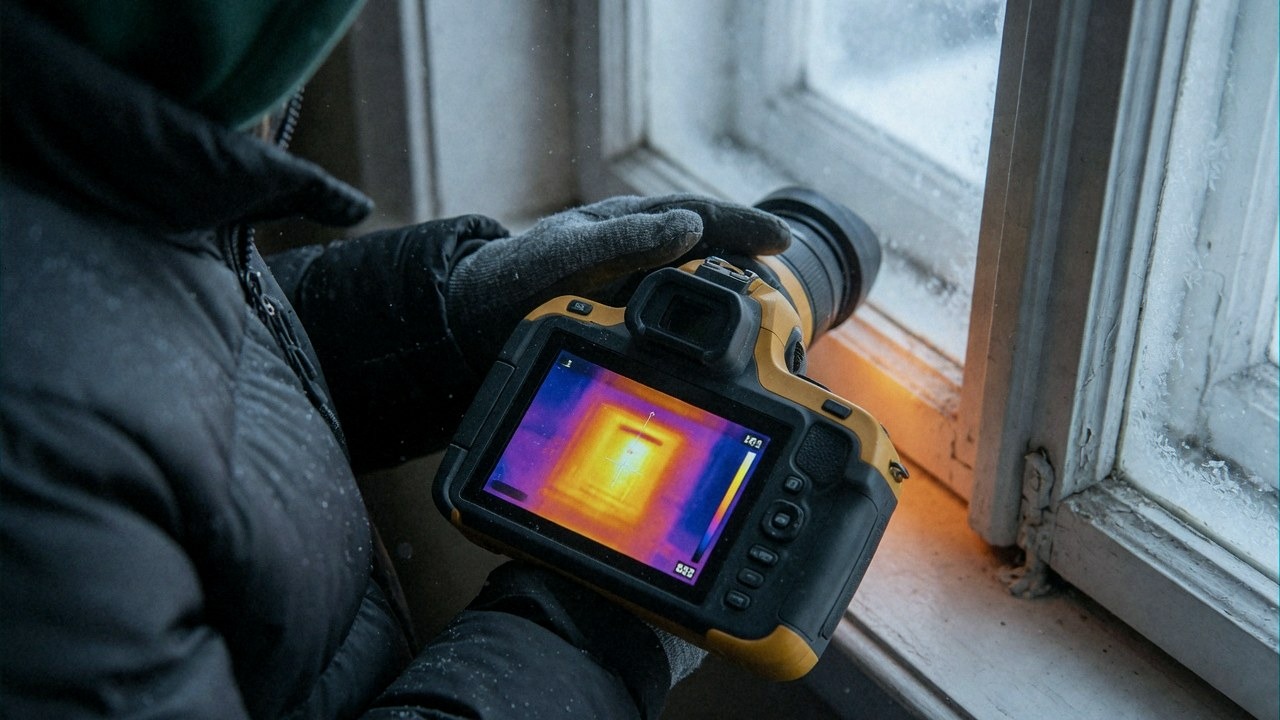
Using a handheld thermal camera on a window frame

Figure 5: A 256 by 192 pixel sensor with a noise equivalent temperature difference under 50 mK is enough for a house survey.

What to look for in the specification. A microbolometer with 256 by 192 pixels is the practical minimum for building work. Thermal sensitivity, quoted as NETD, should be 50 mK or better. Accuracy of plus or minus 2 C or 2 percent is normal. A fixed-focus lens is fine indoors; a manual focus ring is worth the extra money if you plan to scan façades from outside. Decent handheld units now start around 200 to 300 dollars, and phone attachments sit in a similar range with worse ergonomics. Renting one for a weekend costs less than a single mis-bought insulation job.

Emissivity is the trap. Plaster, brick, wood and painted surfaces sit around 0.90 to 0.95, which is why most cameras default to 0.95 and are roughly right. Bare shiny metal sits near 0.05 and will read as freezing cold even when it is warm, because it is a mirror. Glass is around 0.92 but it is also reflective in the infrared, so an indoor scan of a window shows you the reflection of the room, not the glass temperature. Put a piece of matte tape on the frame and measure the tape.

Timing is the second trap. A thermal camera needs a temperature difference to see anything. Ten kelvin is the minimum for a useful interior survey, fifteen is comfortable. That means scanning during the heating season, with the heating running steadily for at least three hours, ideally early morning before sun hits the façade. Exterior surveys want a cold, overcast morning after a warm night, when the building's stored heat is escaping. Scanning a sunlit wall in the afternoon tells you about the sun.

Reflections are the third. At night, standing inside a warm room, every shiny surface reflects you. Step to the side, angle the camera, and compare the same detail from two positions. If a cold patch moves when you move, it is a reflection, not a defect.

What you are hunting for is a pattern. Cold bands along a window frame mean a failed gasket or a badly seated frame. A cold strip at the wall to floor junction means a missing insulation return. A cold rectangle in the ceiling means a gap in the loft roll. A cold streak under a door means air, not conduction, and that is the cheapest thing on the list to fix.

One honest caveat: a thermal camera shows surface temperature, not airtightness. Air leaks show up as cold streaks and uneven patterns, but proving infiltration requires a blower door test at 50 pascals. If you are planning serious work, do both, and do them before the work starts so you have a baseline.

Nine jobs before the first frost

Work from cheapest to most expensive, and stop when the remaining items no longer pay for themselves.

  1. Walk the house with a candle or a thermal camera on a windy day. Note every cold streak. This is your map.
  2. Replace worn window and door gaskets, adjust the hinges and the locking cams so the sash pulls evenly against the seal. A five dollar gasket beats a new window.
  3. Seal penetrations: pipes, cables, the loft hatch perimeter, letterboxes, and the gap behind skirting boards on external walls.
  4. Fit a chimney balloon if the fireplace is unused. An open flue is a permanent hole in the thermal envelope.
  5. Bleed every radiator, then balance the system so the furthest rooms heat at the same rate as the nearest. Unbalanced systems waste 5 to 10 percent before anything else is wrong.
  6. Set a schedule instead of a constant temperature. 20 C when occupied, 17 to 18 C at night and when away. A smart thermostat pays back in one or two seasons, but a plain programmable one does the same job for less.
  7. Keep relative humidity between 40 and 50 percent. Below 40 feels cold and dries the air; above 60 feeds mould on the coldest surfaces. A ten dollar hygrometer tells you more than any app.
  8. Lag the hot water cylinder, the first two metres of every hot pipe, and the loft tank if you have one.
  9. Before the first hard frost, disconnect garden hoses, shut off and drain outside taps, clean gutters, and check that the condensate pipe from the boiler does not run outside unprotected.

Two more items belong on the list if the budget allows. Top up loft insulation to 400 millimetres, and fix the thermal bridges around windows and doors rather than replacing the windows themselves. Both are unglamorous and both work.

What each job buys you

Payback is the only honest comparison, and it changes the order of the list.
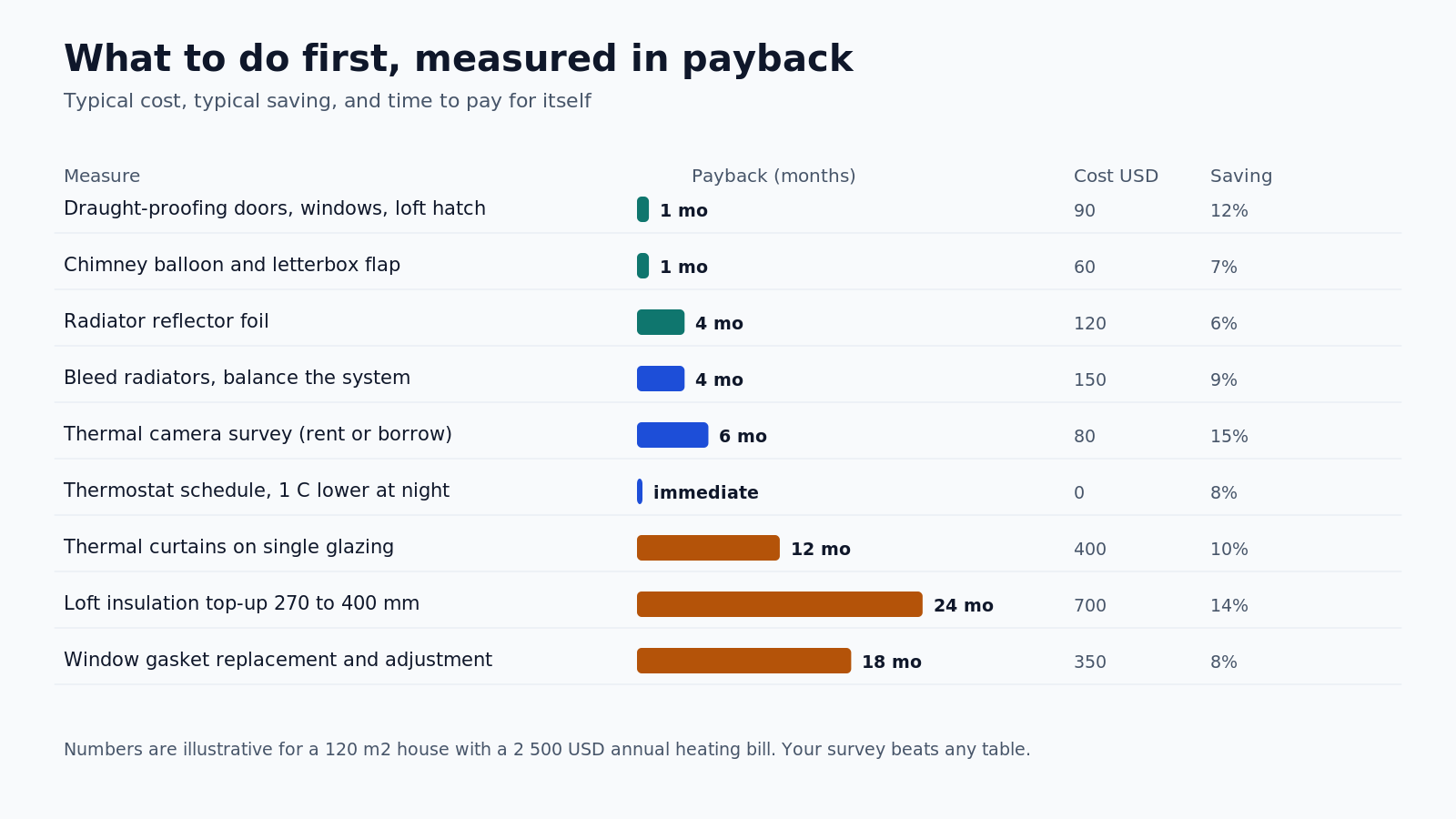
Payback periods for winter preparation measures

Figure 6: Typical cost, saving and payback for common measures. Draught-proofing wins almost every time, because it is nearly free.

The pattern is consistent. Anything that stops air movement pays back within a season or two. Anything that adds material to a surface pays back over years. Anything that replaces a component pays back over a decade and should be justified by comfort or by a simultaneous renovation, not by the energy bill alone.

The thermal camera sits in an odd category. It is a diagnostic tool, not a measure. Its payback comes from what it prevents: the loft insulation that was laid with a two metre gap at the eaves, the radiator that was never connected, the cold corner that would have become a mould problem in February. Borrow or rent one before spending four figures on a guess.

The one-degree argument

Most of the savings in a winter bill are not technical. They are behavioural, and they are invisible because nobody sees the setpoint as a decision.
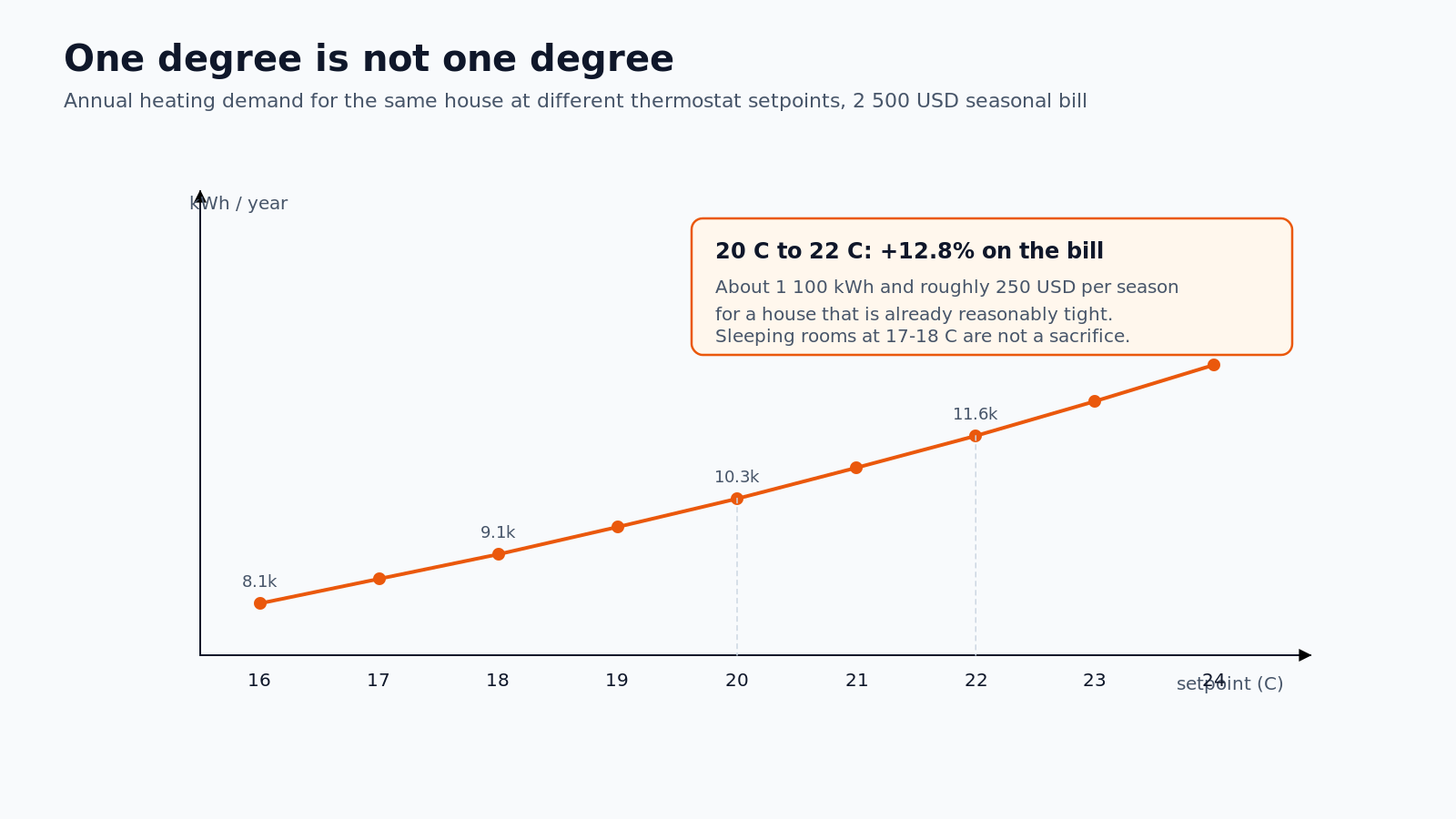
Heating demand versus thermostat setpoint

Figure 7: Annual heating demand for the same house at different setpoints. Each degree is roughly 6 percent of the bill.

Every degree of indoor temperature costs roughly 5 to 6 percent of heating energy in a typical house. Moving from 22 C to 20 C in a 120 square metre home saves over a thousand kilowatt hours a season, which at current prices is several hundred dollars. Dropping to 17 C at night and back to 20 C in the morning saves more, provided the recovery is not attempted with a cold-start boiler running flat out for two hours.

The comfort argument against this is weaker than it sounds. Most people cannot tell 20 C from 22 C in a room with a warm floor and no draughts. They can tell a cold corner from a warm one from across the room. Fix the envelope, then lower the setpoint, and the house feels better at a temperature that used to feel cold.

A weekend plan

Saturday morning, before the heating has been running long, walk the house with the camera and write down every anomaly. Saturday afternoon, seal and adjust everything that can be sealed and adjusted with a roll of gasket and a tube of acrylic. Sunday morning, bleed and balance the radiators, set the thermostat schedule, and put a hygrometer in the coldest room.

That is the whole job. It costs less than a mid-range appliance and it changes the next five winters. The house does not need to be rebuilt. It needs its heat paths understood, its geometry corrected where it matters, and its setpoint treated as a number rather than a mood.

Winter is not an emergency. It is a schedule, and it starts about six weeks before the first frost.

Posted on — 3 Comments

Best Bread Makers of 2026: Which Home Baking Machine Is Right for You?

Choosing a Bread Maker: What Really Matters

Nothing beats the smell of fresh bread in your kitchen. In 2026 the best bread makers do far more than bake a simple white loaf. They knead, prove and bake wholemeal, sourdough, gluten free and even pizza dough while you get on with your day. If you are thinking about baking at home, this guide helps you understand what to look for and which machine fits your budget and your kitchen.

Capacity: how much bread do you really bake?

Most home bread makers produce a 500g to 1kg loaf. A larger pan is useful if you bake for a family or like to make doorstop slices. Smaller machines save space and still make a perfect loaf for one or two people. Look at the pan size before you buy, because it has the biggest impact on how the machine fits your daily routine.

Programmes: more is not always better

Every model handles a basic white or wholemeal loaf. The difference shows in the extras. A gluten free setting changes the rise time so gluten free flour behaves properly. A fruit and nut dispenser drops in seeds and dried fruit at the right moment. A rapid or fastbake programme gets a loaf on the table quickly. Think about which programmes you will actually use rather than buying the longest list you can find.

The Best Budget Bread Maker

If you are new to home baking you do not need to spend a lot to get great results. The Cookworks Bread Maker is the easiest entry point. It is compact, simple to use and makes a solid everyday loaf at a very friendly price. It is the ideal first machine for anyone who wants to try baking without a big commitment.

The Bestselling Mid Range Choice

The middle of the range is where Panasonic really shines. The Panasonic SD-2500 Bread Maker is one of the most popular models on the market, and for good reason. It combines a yeast dispenser, a gluten free setting and a wide range of programmes with dependable results loaf after loaf. If you want a step up with a few extra programmes, the Panasonic SD-2501 Bread Maker gives you more flexibility while staying easy to use.

The Premium Choice for Enthusiasts

For bakers who want the most control, the Panasonic SD-ZX2522 Bread Maker is a real step forward. With 37 programmes, a fruit and nut dispenser and a dedicated gluten free option, it handles everything from classic white loaves to sourdough and pizza dough. The SD-ZX2522 is the machine to choose if baking has become a genuine hobby rather than a convenience.

Reliable Quality From Trusted Brands

Panasonic is not the only brand worth your attention. The Morphy Richards Homebake is a dependable all rounder with a clean design and a full set of everyday programmes. The Cuisinart CBK-200 is another strong performer, known for a sturdy build and consistent browning. Both are excellent middle ground options that will serve you well for years.

The Gluten Free Specialist

Following a gluten free diet does not mean giving up fresh bread. The Tower Gluten Free Digital Bread Maker is designed with gluten free baking front and centre, with a dedicated programme that gives gluten free flour the correct rise and crust. It is a thoughtful choice for anyone baking for coeliac needs or gluten sensitivity.

Bread Makers Compared at a Glance

Model Best For Price
Cookworks Bread Maker Budget and first time baking £38.99
Panasonic SD-2500 Everyday reliability £86.99
Panasonic SD-2501 More programmes, still simple £112.99
Morphy Richards Homebake Balanced all rounder £68.99
Cuisinart CBK-200 Sturdy build and consistent results £100.99
Tower Gluten Free Gluten free baking £55.99
Panasonic SD-ZX2522 Serious home bakers £207.99

Frequently Asked Questions

Are bread makers worth it?

If you eat bread regularly, yes. A bread maker pays for itself quickly, saves trips to the bakery and lets you control exactly what goes into your loaf. The Panasonic SD-2500 is a great value starting point for daily baking.

Can you make gluten free bread in a bread maker?

Yes. Look for a dedicated gluten free programme, like the one on the Tower Gluten Free Digital Bread Maker. Gluten free dough behaves differently, so the dedicated setting makes a real difference to the final loaf.

What is the difference between a yeast dispenser and adding yeast by hand?

A yeast dispenser keeps the yeast dry and separate until the machine drops it in at the right time. This protects the yeast from the salt and liquids in the dough, which helps the loaf rise more reliably. Both the Panasonic SD-2500 and the Panasonic SD-ZX2522 include one.

Which Bread Maker Should You Choose?

Start with the Cookworks Bread Maker if you are just getting started on a budget. Choose the Panasonic SD-2500 for the best balance of features, price and reliability in everyday baking. Step up to the Panasonic SD-ZX2522 when you want the full range of programmes and a machine made for serious home bakers. Whichever you pick, fresh bread at home is only a few hours away.

Posted on — 3 Comments

The smart home automation Revolution: A Brandon’s Perspective

The smart home automation Revolution: A Brandon’s Perspective

By Brandon Konarski

Introduction: The smart home automation Shift

As someone who’s spent years in the industry…

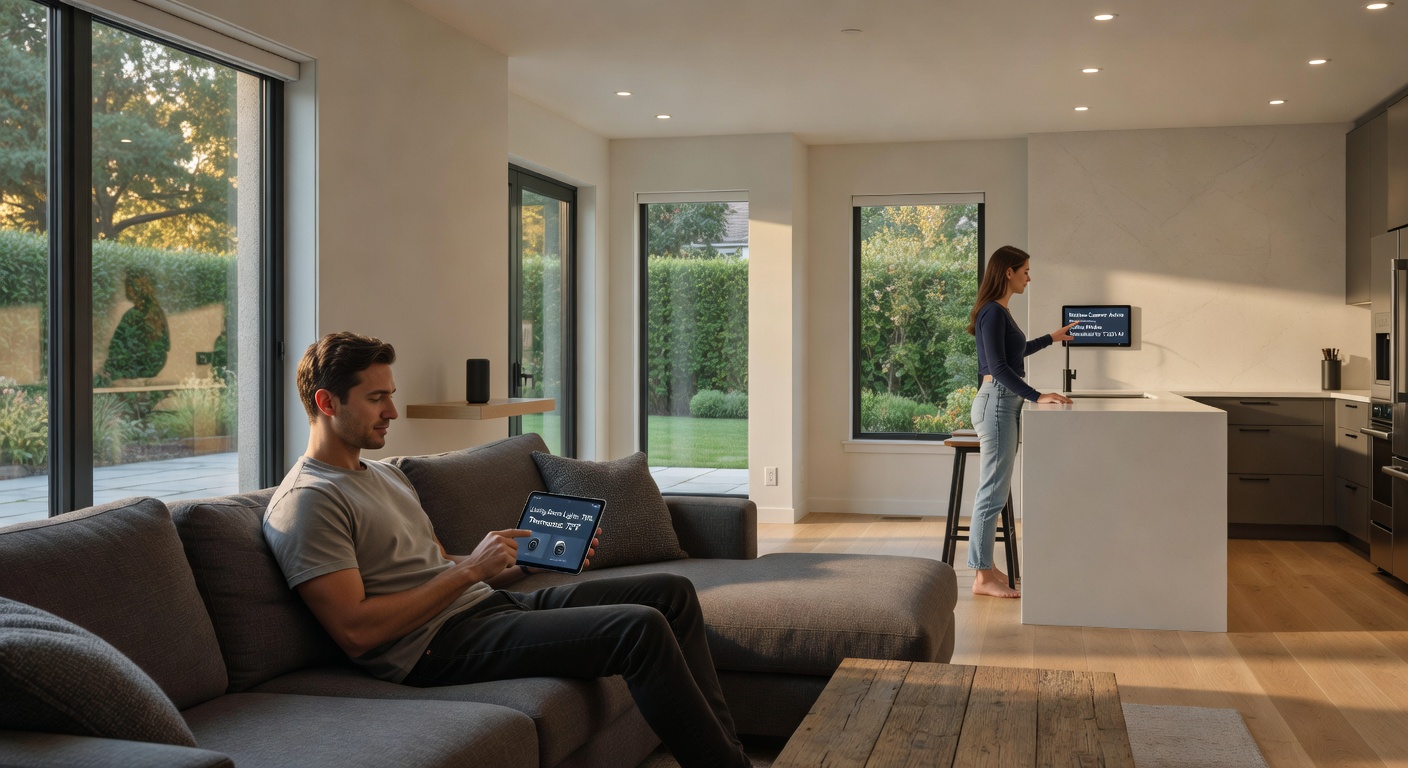
smart home automation in everyday use, lifestyle p...
smart home automation in everyday use, lifestyle photography

Understanding smart home automation

The technology behind this revolution…

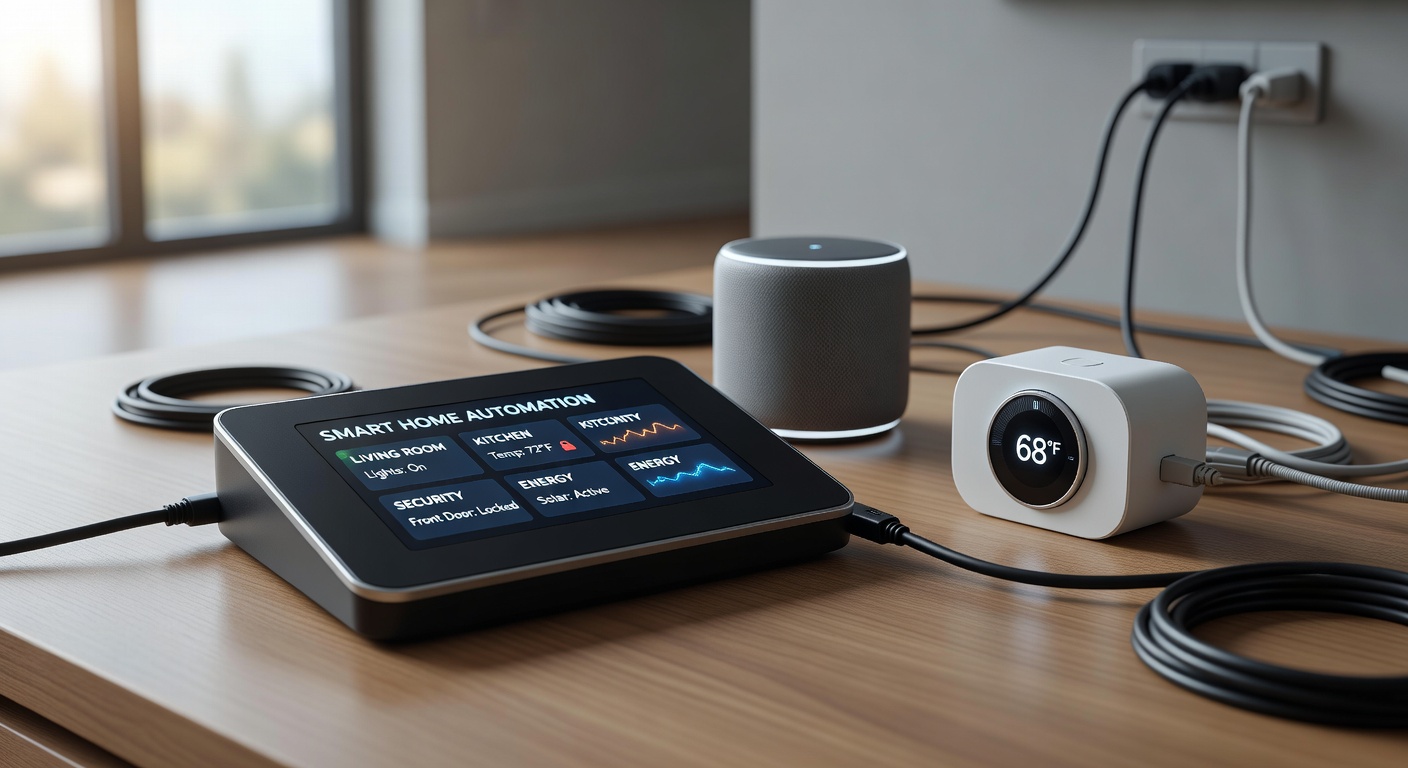
smart home automation technology close-up, detaile...
smart home automation technology close-up, detailed shot

Looking Ahead

The future of smart home automation is bright…

smart home automation future vision, conceptual il...
smart home automation future vision, conceptual illustration
Posted on — 2 Comments

The Hiding Cables and Smart Devices in Home Design Revolution: A Brandon’s Perspective

The Hiding Cables and Smart Devices in Home Design Revolution: A Brandon’s Perspective

By Brandon Konarski

Introduction: The Clutter-Free Revolution Begins

As a programmer who spends most of his time optimizing code and systems, I can’t help but apply the same principles to my living space. Just like messy code leads to bugs and inefficiencies, visible cables and poorly integrated smart devices create visual chaos that affects our daily productivity and mental state. The trend of hiding cables and seamlessly integrating smart devices into home design isn’t just about aesthetics—it’s about creating efficient, distraction-free environments that let technology serve us without dominating our spaces.

I’ve been following this trend closely, and from my technical perspective, the solutions available today are impressive. We’re moving beyond the era of entertainment centers with nests of HDMI cables and power strips. Modern homes are being designed with cable management as a core architectural feature, not an afterthought.

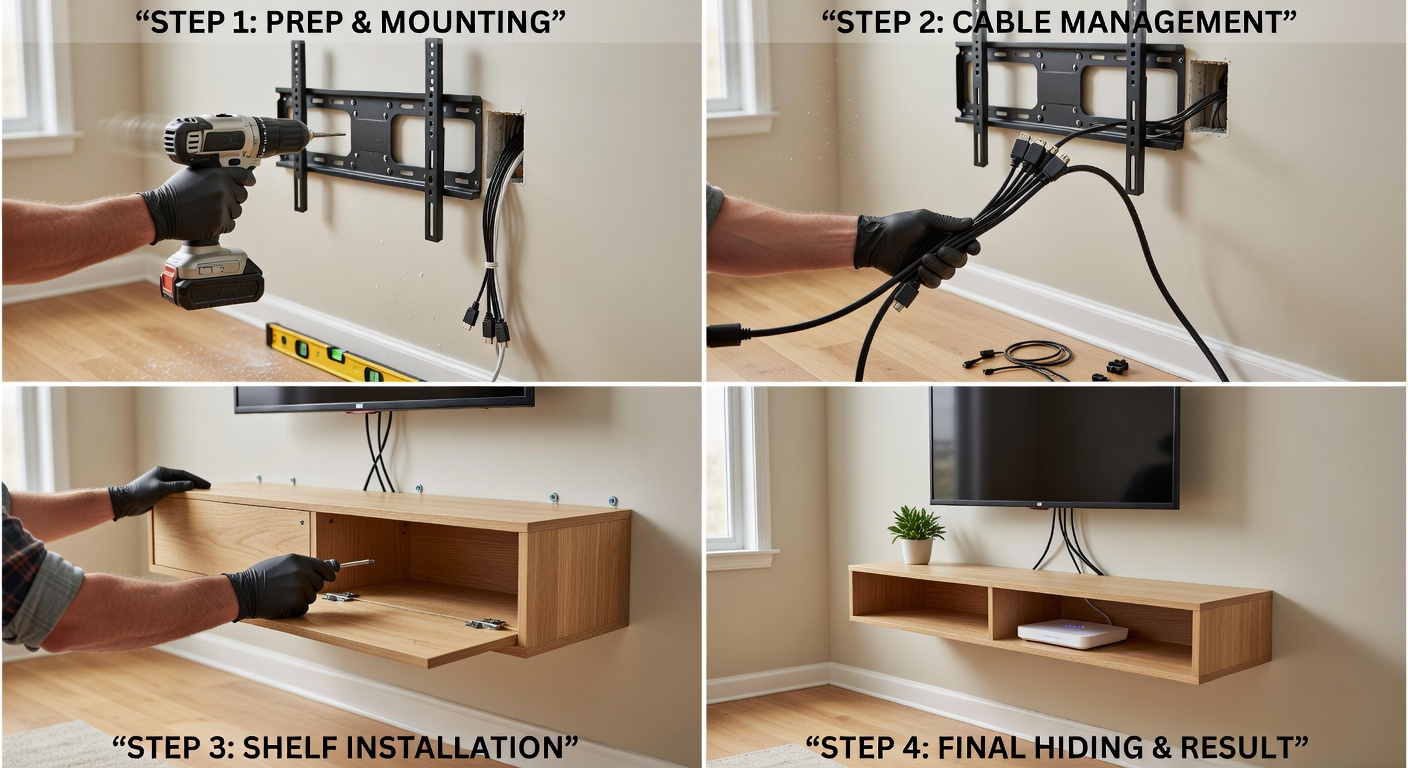
DIY cable hiding behind TV wall mount with floating shelf
A well-executed DIY cable management solution transforms any living space

The Technical Reality of Cable Management

Why Visible Cables Are a Problem

From an engineering standpoint, exposed cables represent multiple failure points. They’re prone to damage, create dust traps, and can even pose fire hazards when bundled improperly. But beyond the technical issues, there’s the psychological impact. Studies have shown that visual clutter increases cortisol levels—your body’s stress hormone. When I look at a desk with cables snaking everywhere, I see entropy, and as someone who values order, that bothers me deeply.

Modern Solutions: Beyond the Cable Tie

Today’s cable management goes far beyond velcro ties and cable boxes. We’re talking about:

  • In-wall cable routing: Running cables through walls during construction or renovation, with dedicated conduit systems that allow for future upgrades.
  • Furniture-integrated solutions: Desks, TV stands, and entertainment centers designed with built-in channels, grommets, and power outlets.
  • Wireless alternatives: Technologies like Wi-Fi 6E, wireless HDMI, and Bluetooth have eliminated many cable needs entirely.
  • Under-floor and baseboard systems: Specialized raceways that blend into architectural elements.

The key insight here is that proper cable management should be planned at the design stage, not retrofitted. If you’re building or renovating, now is the time to think about where your cables will live.

Smart Device Integration: The Invisible Home

Moving Beyond the Gadget Aesthetic

Early smart home devices were designed to look futuristic—glowing rings, prominent LED indicators, and bulky plastic casings that screamed “technology product.” This approach has thankfully evolved. The best smart home devices of 2026 are nearly invisible.

Take smart speakers, for example. Instead of countertop units, we’re now seeing ceiling-mounted speakers that look like standard architectural elements. Smart displays are being replaced by minimalist screens that double as artwork or mirrors when not in use. The technology has matured to the point where it can be subtle.

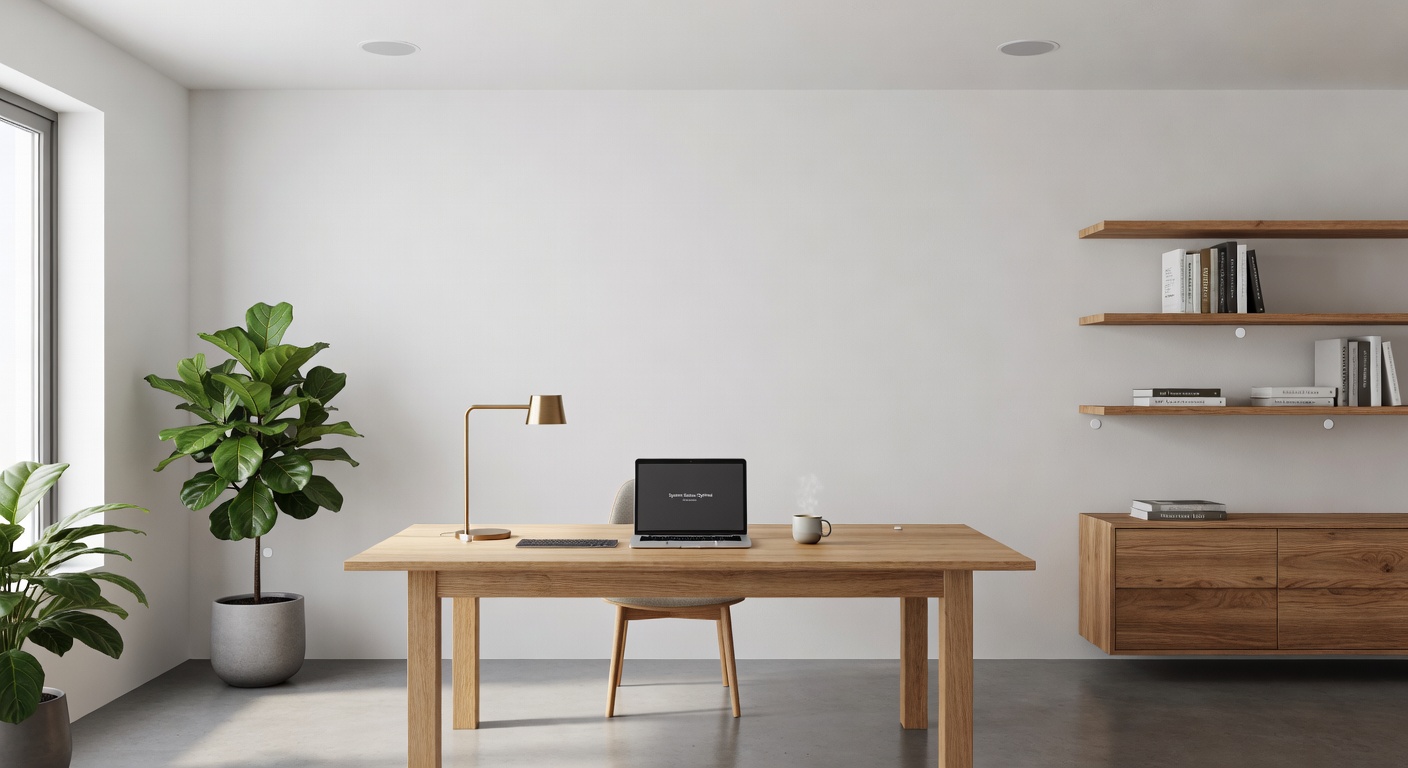
Smart home device integration with invisible speakers and hidden sensors
Modern smart home devices blend seamlessly into interior design

The Role of Standards and Compatibility

From a programmer’s perspective, the fragmentation of smart home protocols has been frustrating. But we’re finally seeing convergence. Matter protocol adoption has simplified integration, and more manufacturers are designing products that work together out of the box. This matters because it means you can choose devices based on how well they fit your aesthetic, not just technical compatibility.

I’ve been experimenting with various systems in my own setup, and the difference is night and day. A unified ecosystem where lighting, climate control, and security devices communicate seamlessly—and invisibly—isn’t just possible; it’s becoming the standard.

Practical Implementation: Room by Room

The Living Room: Entertainment Center Zero-Visibility

The living room is often the biggest challenge because it’s where we have the most devices: TV, gaming console, streaming box, sound system, and various chargers. My recommended approach:

  1. Wall-mount everything possible: TVs, soundbars, and even gaming consoles can be wall-mounted with proper brackets.
  2. Use a single power source: A recessed outlet behind the TV can power everything through a single, hidden connection.
  3. Optical HDMI cables: These are thinner and more flexible, making routing easier.
  4. Wireless peripherals: Game controllers, keyboards, and remotes should all be wireless and rechargeable.

The Home Office: Productivity Through Simplicity

As someone who works remotely, my home office is critical. I’ve implemented a “one cable” solution where my laptop connects to a Thunderbolt dock with a single cable, handling power, displays, and peripherals. The dock itself is hidden in a drawer, with only the necessary cables emerging through grommets.

Smart lighting in the office adjusts based on time of day and task, but the fixtures look like standard recessed lights. The sensors are ceiling-mounted and blend into the smoke detectors. Everything is automated but invisible.

The Kitchen: Appliances Get Smart Quietly

Modern kitchen appliances increasingly include smart features, but the best designs hide these capabilities. A smart refrigerator shouldn’t look like a computer with a cooling function—it should look like a refrigerator that happens to be smart. The same applies to ovens, dishwashers, and even smaller appliances.

The Future: Truly Invisible Technology

We’re approaching a threshold where technology will become truly ambient. Research into wireless power transmission, already demonstrated in limited applications, could eliminate charging cables entirely. Transparent OLED displays will turn windows into screens when needed. Advanced materials will allow sensors to be embedded in walls, furniture, and even paint.

From my perspective as a technologist, this is the correct trajectory. Technology should be an extension of our will, not a constant visual reminder of its presence. The best interface is often no interface at all.

Futuristic invisible home concept with wireless power transmission
The future of home design: technology that serves without being seen

Getting Started: A Brandon-Approved Action Plan

If you’re convinced by the philosophy but unsure where to start, here’s my practical advice:

Phase 1: Assessment and Planning (Week 1)

  • Inventory all devices and their cable requirements
  • Identify pain points and visual clutter zones
  • Research wireless alternatives for your most-used devices
  • Measure spaces and plan cable routes

Phase 2: Quick Wins (Week 2-3)

  • Replace obvious cables with wireless alternatives where possible
  • Implement cable ties and management boxes for remaining visible cables
  • Adjust furniture placement to hide power strips and adapters

Phase 3: Strategic Upgrades (Ongoing)

  • Invest in furniture with built-in cable management
  • Consider in-wall solutions for permanent installations
  • Upgrade to smart devices that prioritize subtle design
  • Implement a unified smart home platform for seamless control

Related Reading

If you’re interested in smart home technology and efficient living, check out these related articles:

Conclusion: The Aesthetic of Efficiency

The movement toward hidden cables and integrated smart devices isn’t about hiding technology out of shame—it’s about respecting the primary purpose of our living spaces. Our homes should be sanctuaries, not server rooms. By embracing these design principles, we create environments where technology enhances our lives without demanding constant attention.

As someone who works with complex systems daily, I find profound satisfaction in a well-designed, clutter-free space. It’s the physical equivalent of clean, well-documented code: elegant, efficient, and a pleasure to experience. The revolution in home design is here, and it’s refreshingly invisible.

Brandon Konarski is a freelance programmer and smart home enthusiast who believes that the best technology is the kind you don’t notice. He writes about efficiency, automation, and the intersection of code and daily life.

Posted on — 4 Comments

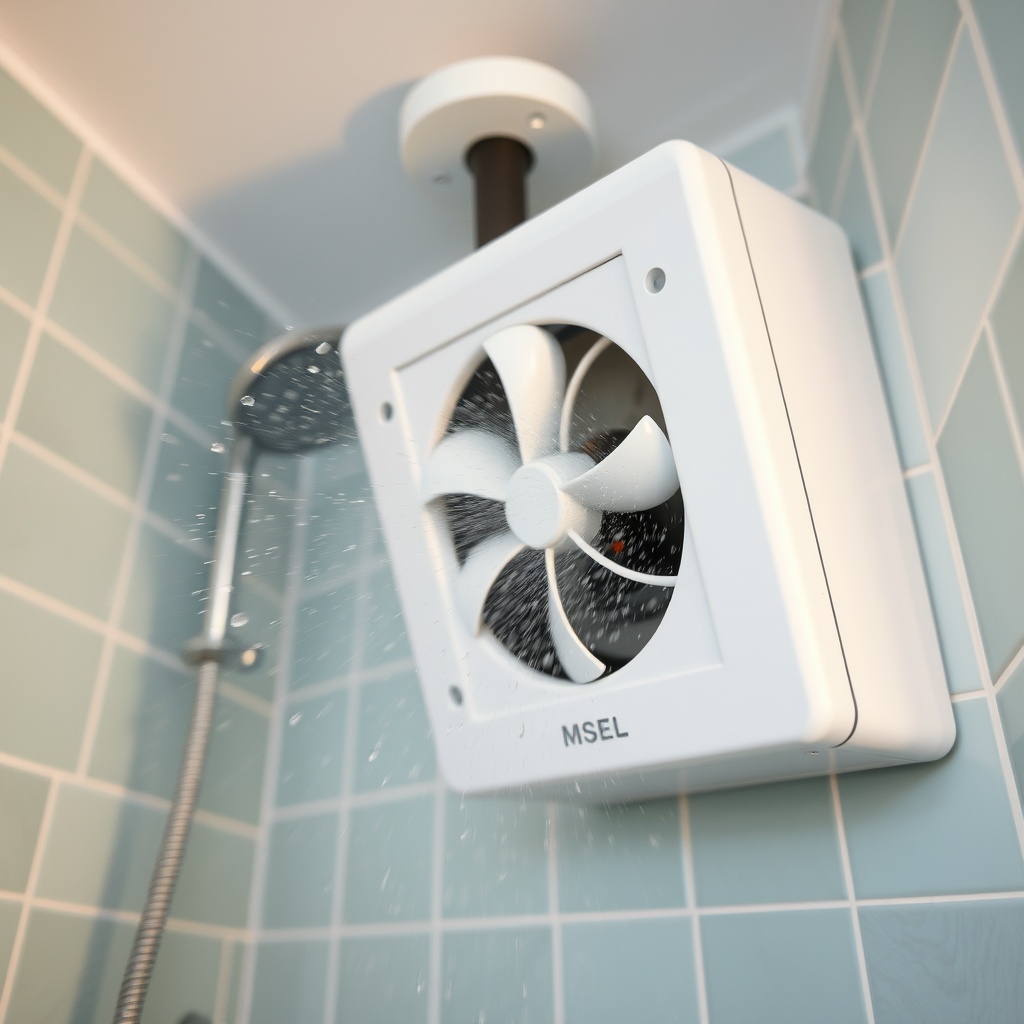
How to improve bathroom ventilation for a fresher home

Exhaling Excellence: Perfecting Bathroom Ventilation for a Fresher Home

As we go about our daily lives, it’s easy to overlook one of the most critical components of our homes: ventilation in bathrooms. A well-designed bathroom ventilation system can make all the difference between a space that feels fresh and clean, and one that’s stale and musty. Continue reading How to improve bathroom ventilation for a fresher home

Posted on — 4 Comments

5 crusty errors you’re making with your sandwich toaster

Toasting Trouble: 5 Crusty Errors You’re Making with Your Sandwich Toaster (And How to Fix Them Now!)

As we all know, a sandwich toaster is a kitchen essential for anyone who loves toasted sandwiches. But are you using it correctly?

Continue reading 5 crusty errors you’re making with your sandwich toaster
Posted on — 4 Comments

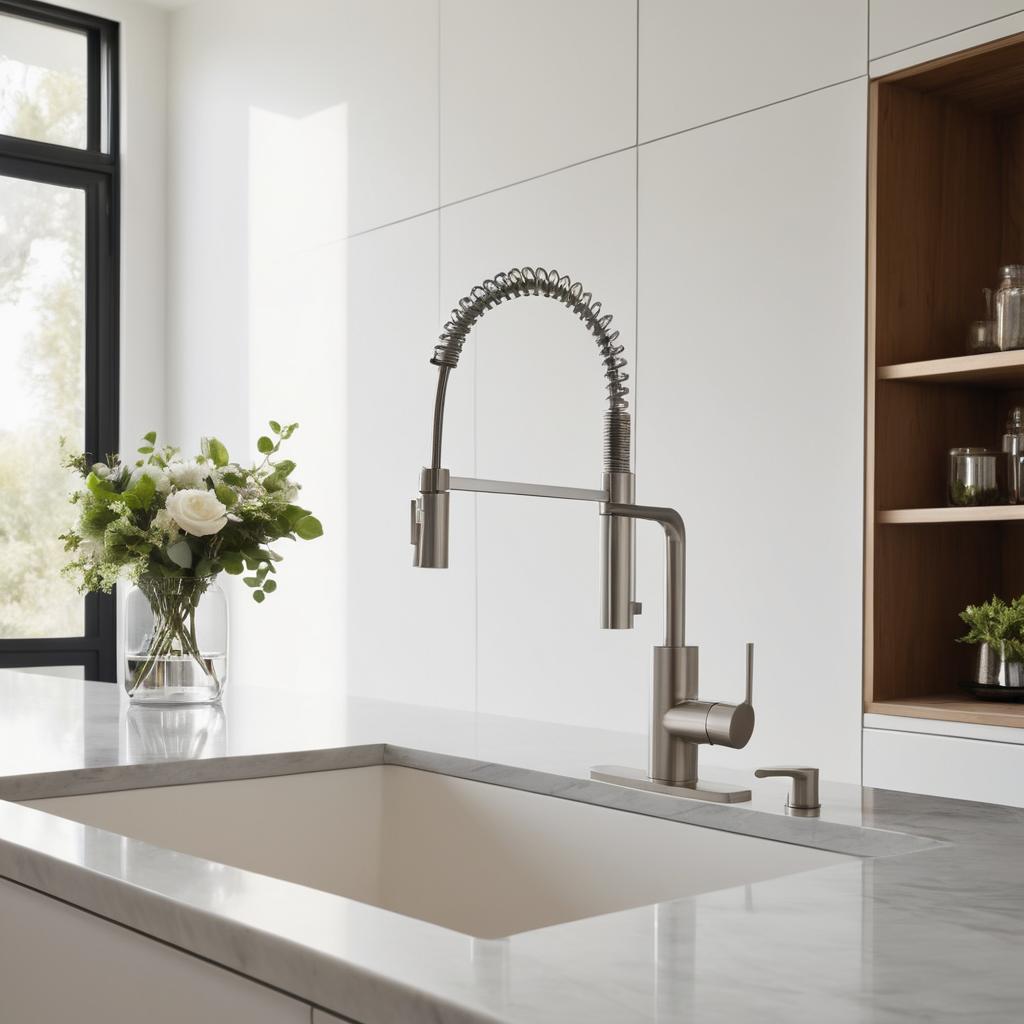
Kitchen faucet guide – expert advice

The Ultimate Kitchen Faucet Guide: Expert Advice for Your Dream Kitchen

As any homeowner or renter can attest, a kitchen faucet is one of the most essential components in any culinary space. Not only does it provide access to clean water for cooking and cleaning, but it also adds a touch of style and functionality to the overall aesthetic of your kitchen. Continue reading Kitchen faucet guide – expert advice

Posted on — 5 Comments

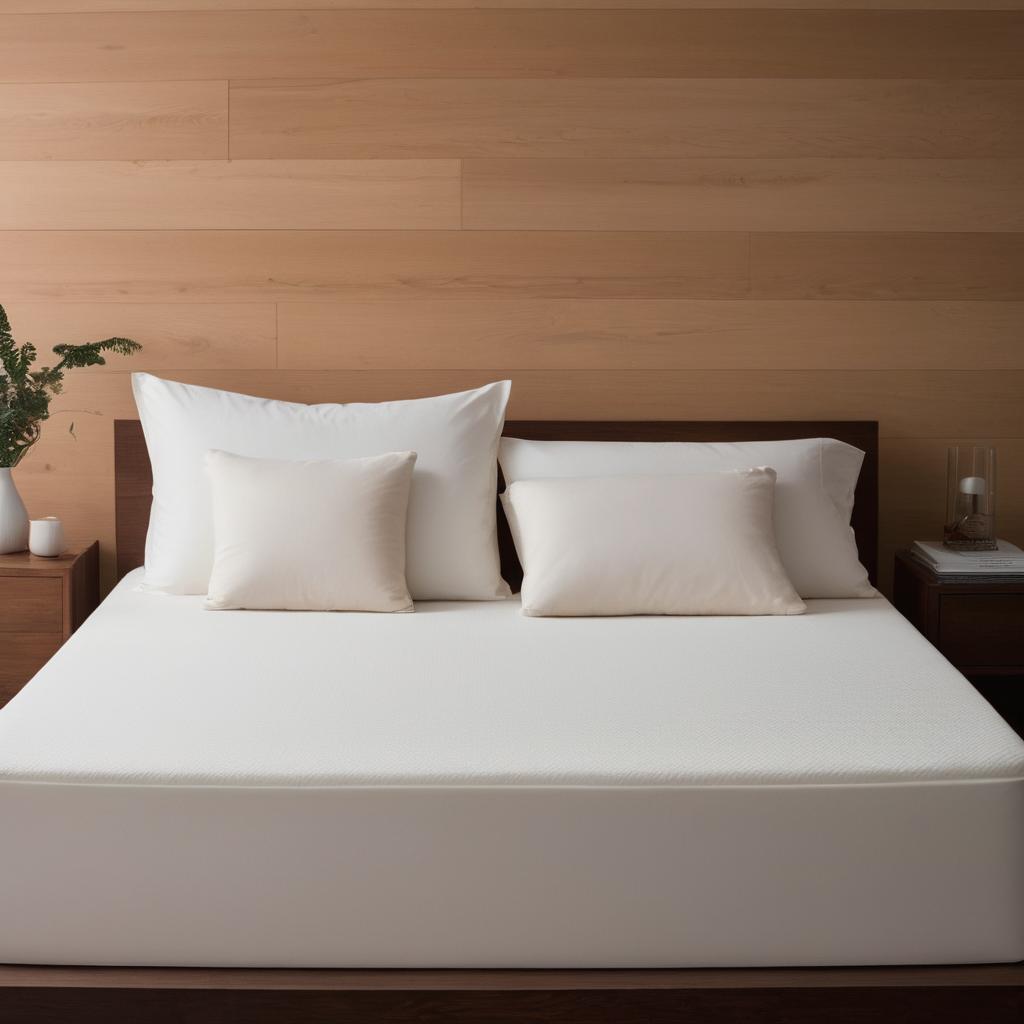
Differences between memory foam and latex mattresses

Sink or Float: Uncovering the Hidden Secrets Between Memory Foam and Latex Mattresses

As we drift off to sleep each night, our mattresses are hard at work supporting us through the various stages of the sleep cycle. But have you ever stopped to think about what’s really going on beneath the surface? Continue reading Differences between memory foam and latex mattresses

Posted on — 24 Comments

Maintenance costs of robotic vacuum cleaners

Total Cost of Cleaning: Lifespan and Maintenance Costs of Robotic Vacuum Cleaners

As the world becomes increasingly automated, the demand for cleaning robots has skyrocketed. With their sleek designs and advanced navigation systems, these devices have become a staple in many households. Continue reading Maintenance costs of robotic vacuum cleaners

Posted on — 24 Comments

Heat control elevates artisan breads – breadmakers tips

Rise to Perfection: How Advanced Heat Control Elevates Artisan Breads

As any bread enthusiast knows, the perfect loaf is a delicate balance of texture and flavor. A good bread should have a crispy crust that gives way to a soft interior, with just the right amount of chewiness. Continue reading Heat control elevates artisan breads – breadmakers tips